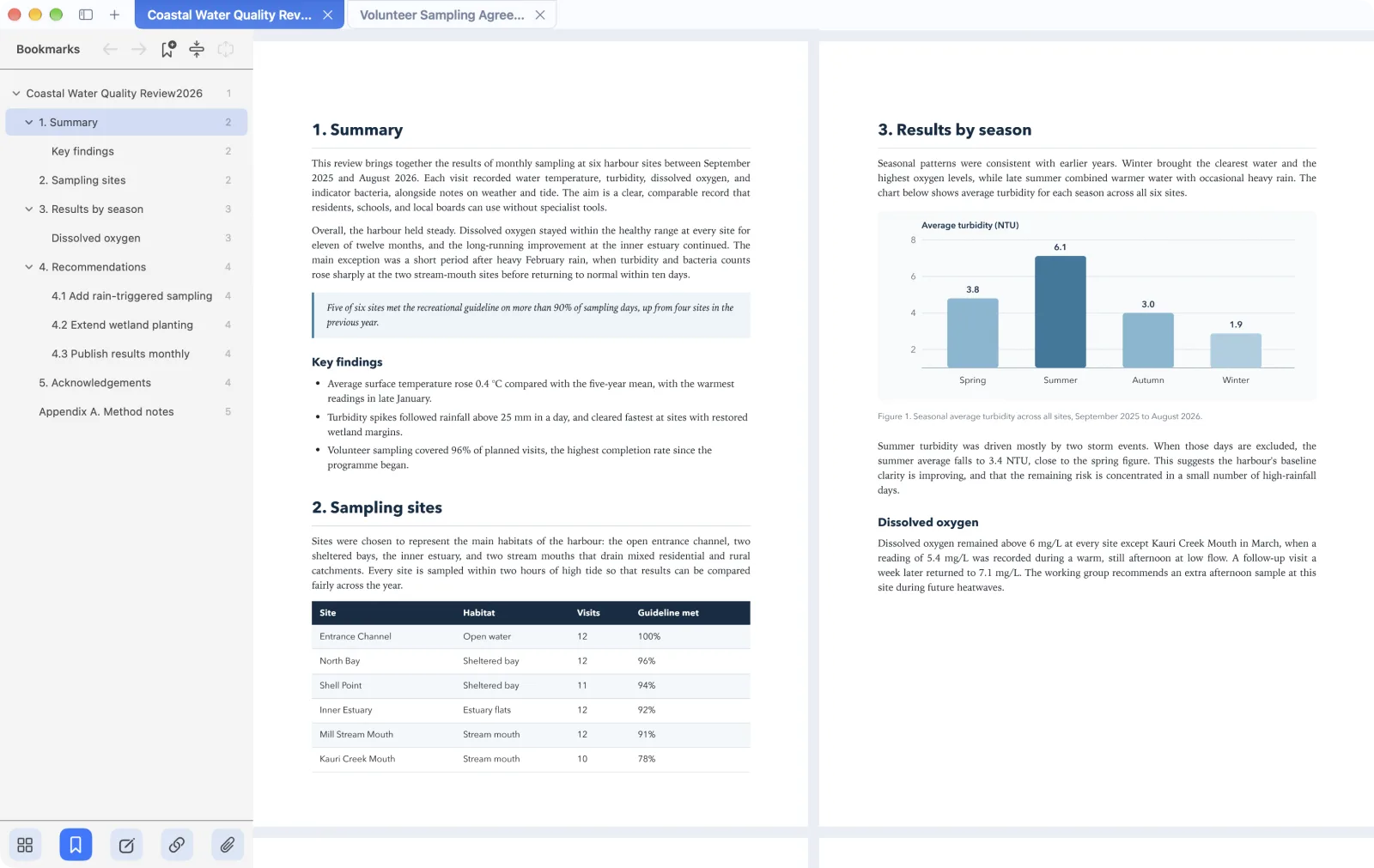
A focused PDF workspace with tabs. Read without distraction, annotate and edit in place, put pages in order, and sign documents, all in one native app.
The page fills the window and the controls stay out of the way until you reach for them. Keep several documents open in tabs, and mPDF reopens each one where you left off.
Tabs for every open PDF
Single page or side-by-side spreads
Search, bookmarks, and outline navigation
Annotate & edit
Mark up and fix in place
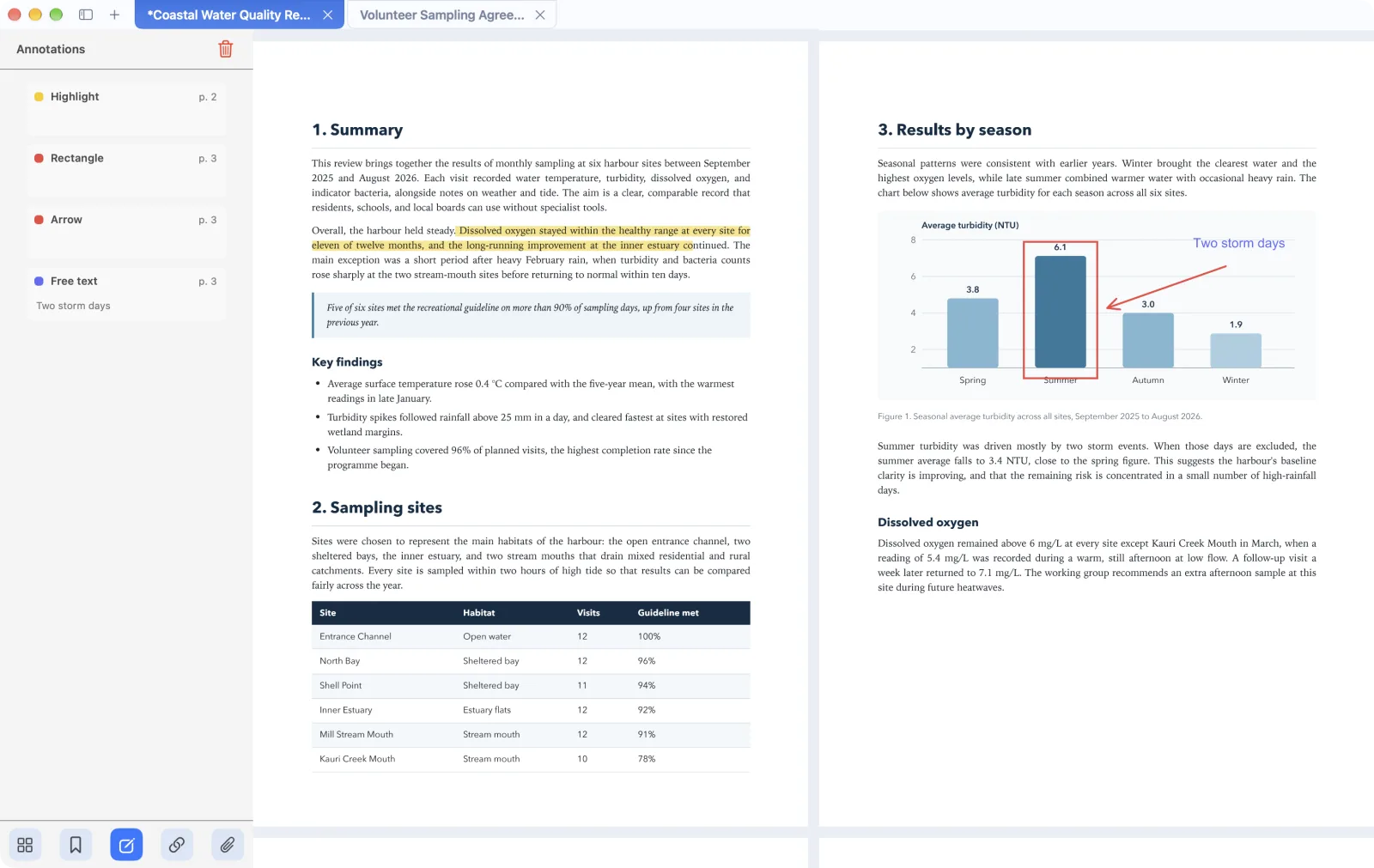
Highlight, underline, draw, and add notes, then see every annotation listed in the sidebar. When a document needs a correction, edit its text directly and keep the original font.
Highlights, shapes, arrows, and text notes
Edit existing text and images
Fill in forms and redact search matches
Organize
Put pages in order
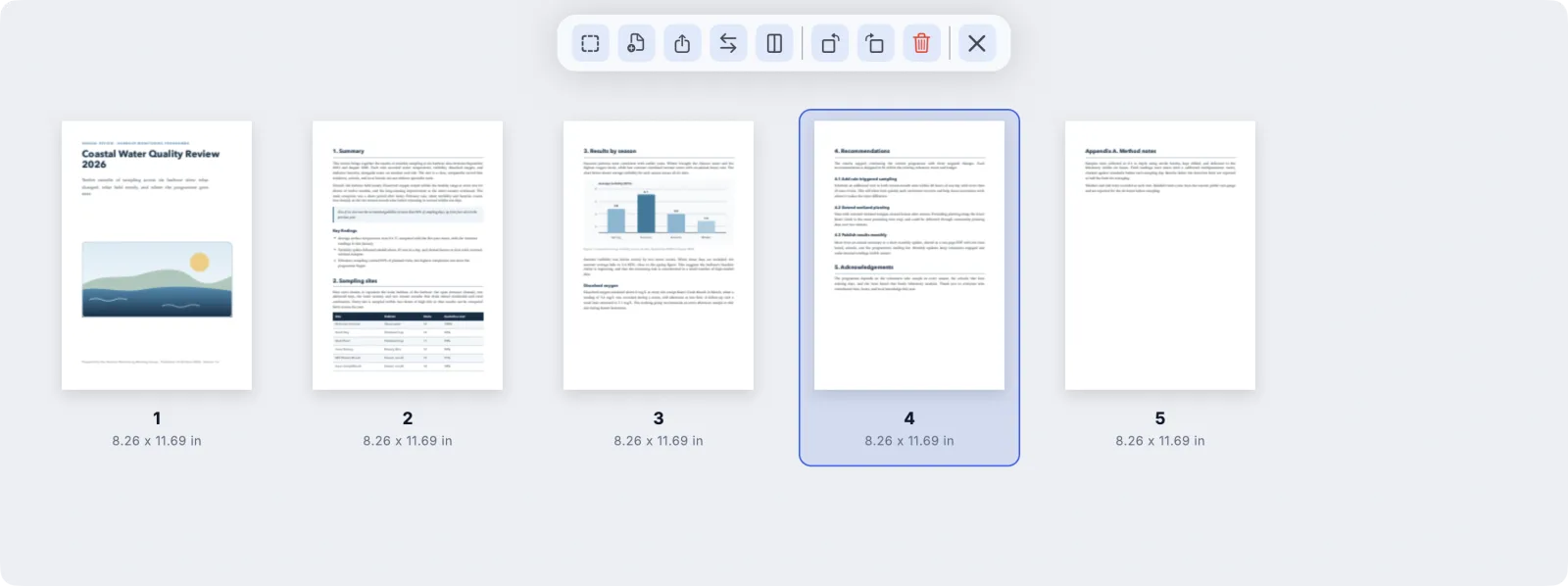
Open the page organizer to see the whole document at once. Rearrange, rotate, and remove pages, or bring in pages from another PDF.
Insert, replace, and extract pages
Split a document into parts
Compress large files before you send them
Sign & stamp
Sign and approve documents
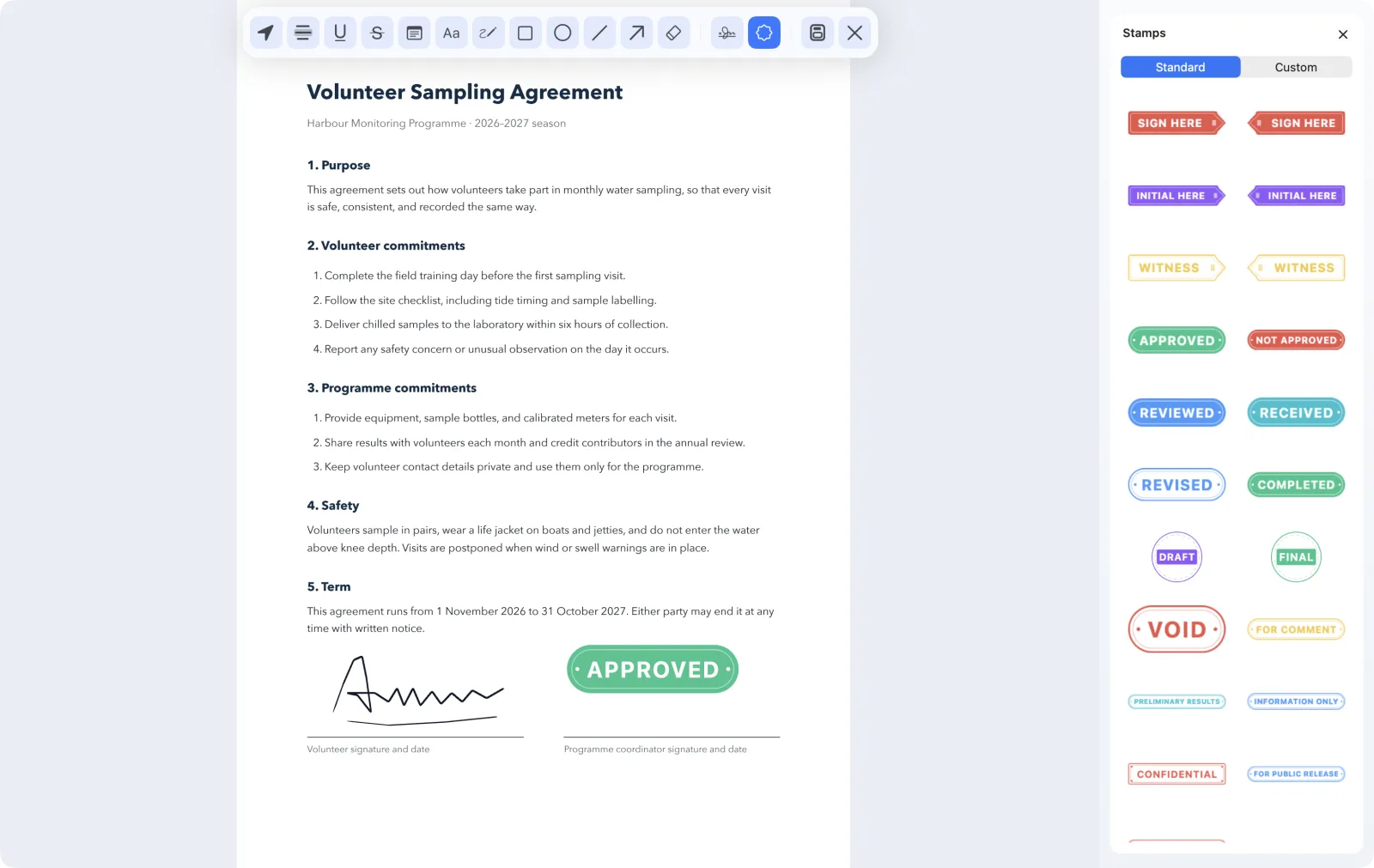
Draw or type a signature, or sign on your phone and place it on the page. Add review stamps, or apply a certificate-based digital signature when a document needs one.
Handwritten and typed signatures
Ready-made and custom stamps
Digital signatures, passwords, and permissions
Scriptable from Terminal
Install the bundled mpdf command to split, rotate, crop, compress, and render PDFs in scripts.